> ## Documentation Index
> Fetch the complete documentation index at: https://restorecord.mintlify.site/llms.txt
> Use this file to discover all available pages before exploring further.
# Setup Webhook Logs
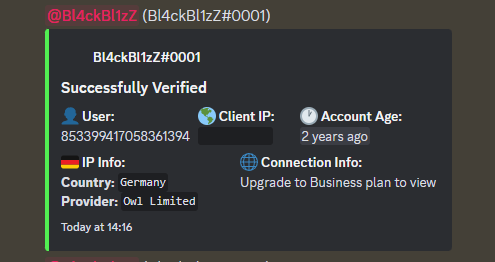
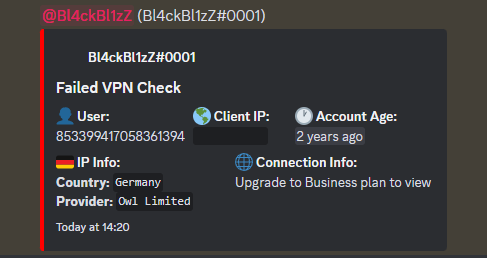
> Monitor your members activity whenever they are verifying on your server.
**Webhook logs are only available for paid plans.**
## Examples
 ## Setup Webhook Logs
This may not work on mobile!
> First **edit** the channel you wish to use Webhook logs on. Go to **Integrations** then click **Create Webhook**.
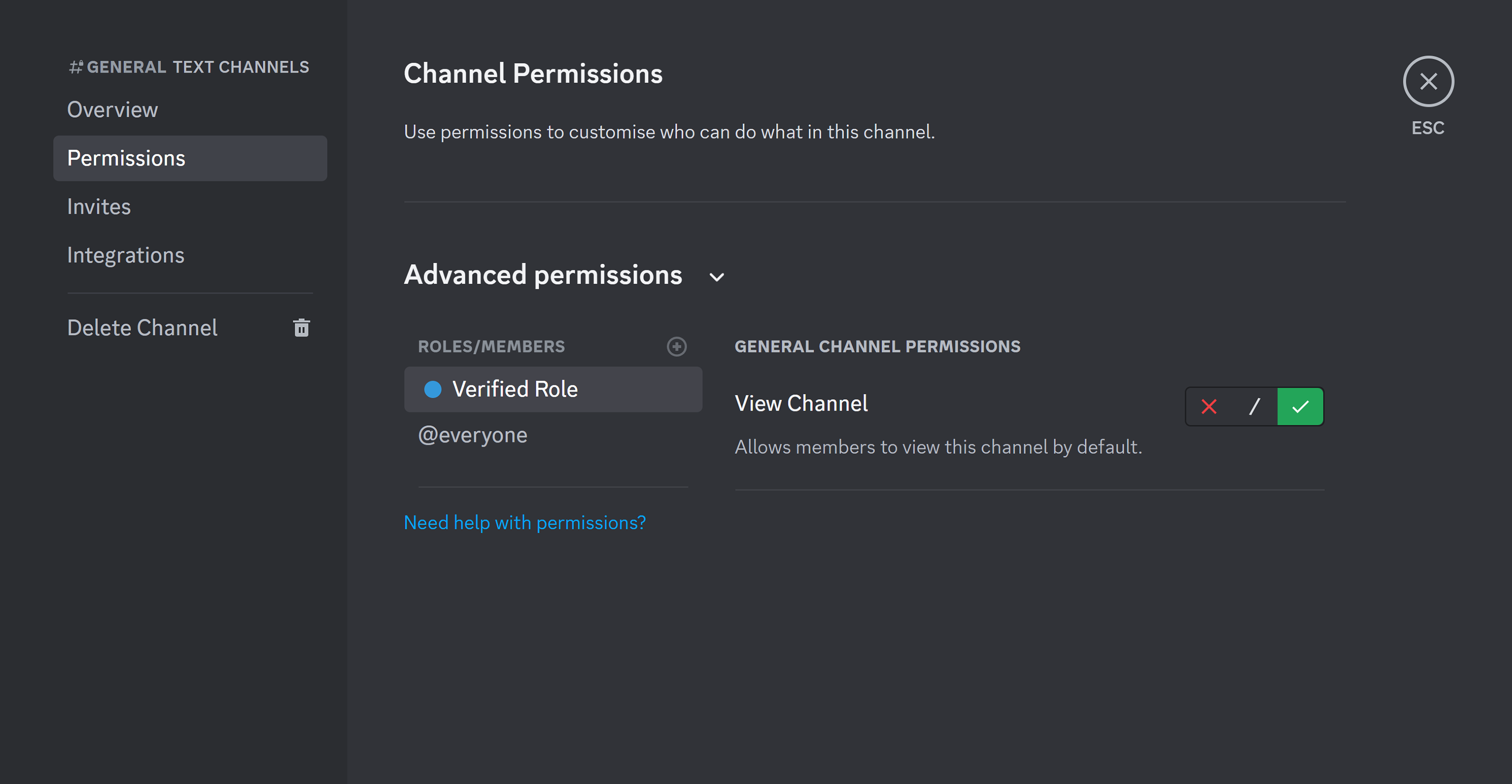
We highly recommend setting this channel to **private**.
## Setup Webhook Logs
This may not work on mobile!
> First **edit** the channel you wish to use Webhook logs on. Go to **Integrations** then click **Create Webhook**.
We highly recommend setting this channel to **private**.
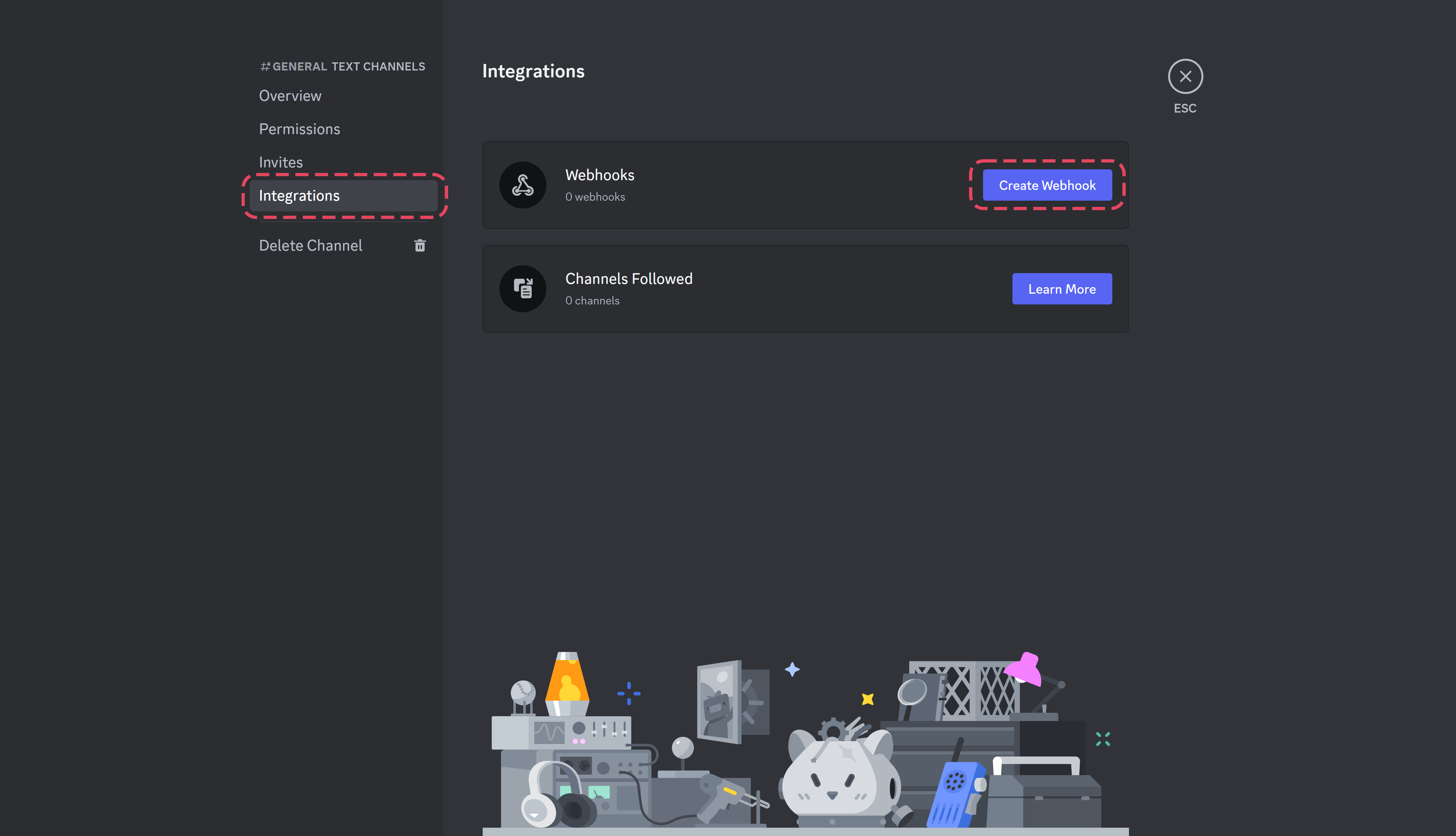 > After creating a webhook, **copy** the **Webhook URL** and go to the [RestoreCord Dashboard](https://restorecord.com/dashboard/server)
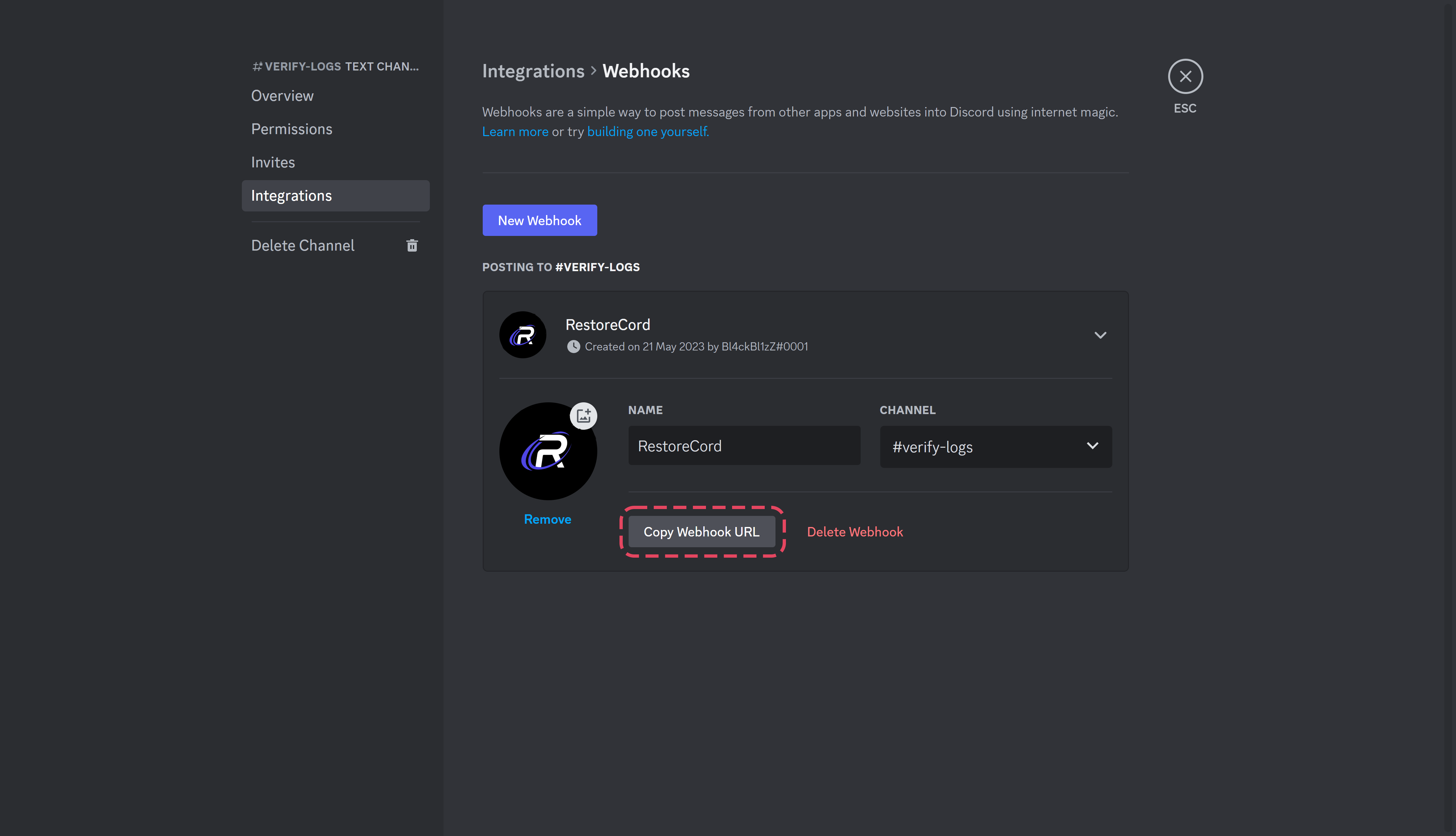 >
You may change the webhook name or profile picture to your preference.
> Go to the [RestoreCord Dashboard](https://restorecord.com/dashboard/server), edit your server on the Dashboard, scroll down and enable **Webhook logs**.
>
You may change the webhook name or profile picture to your preference.
> Go to the [RestoreCord Dashboard](https://restorecord.com/dashboard/server), edit your server on the Dashboard, scroll down and enable **Webhook logs**.
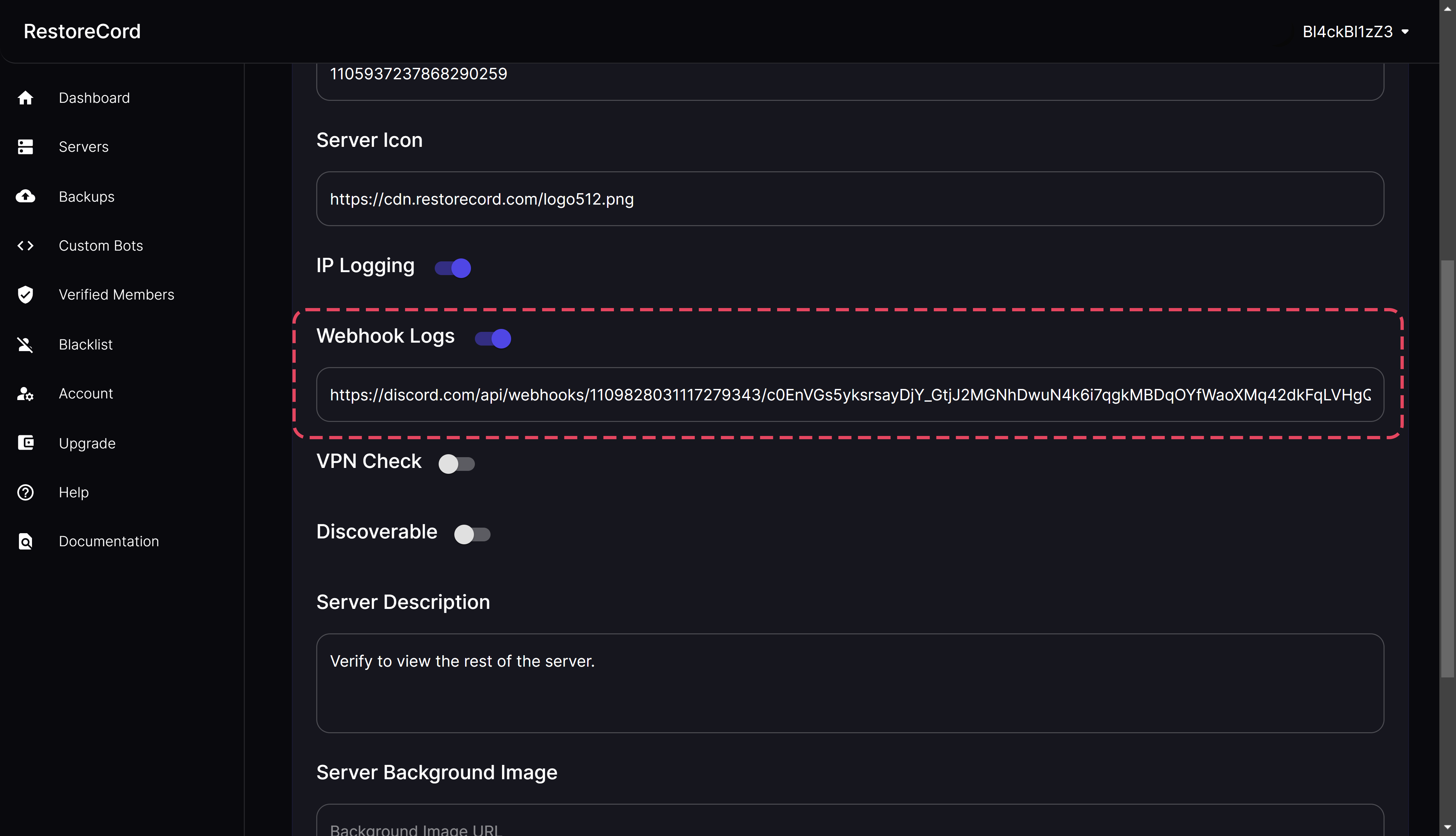 > After **enabling** webhook logs, **paste the Webhook URL** you have copied before and click **Save**.
You have successfully configured webhook logs for your RestoreCord Server!
>
If you have any questions, feel free to join our [Discord Server](https://restr.co/discord) and ask us anything!
> After **enabling** webhook logs, **paste the Webhook URL** you have copied before and click **Save**.
You have successfully configured webhook logs for your RestoreCord Server!
>
If you have any questions, feel free to join our [Discord Server](https://restr.co/discord) and ask us anything!