> ## Documentation Index
> Fetch the complete documentation index at: https://restorecord.mintlify.site/llms.txt
> Use this file to discover all available pages before exploring further.
# Setup Slash Commands
> A step-by-step guide about enabling Slash Commands.
Commands and Online status require the [Business Subscription](https://restr.co/upgrade) to be enabled.
> Go to the [Discord Developer Portal](https://discord.com/developers/applications) and select your application.
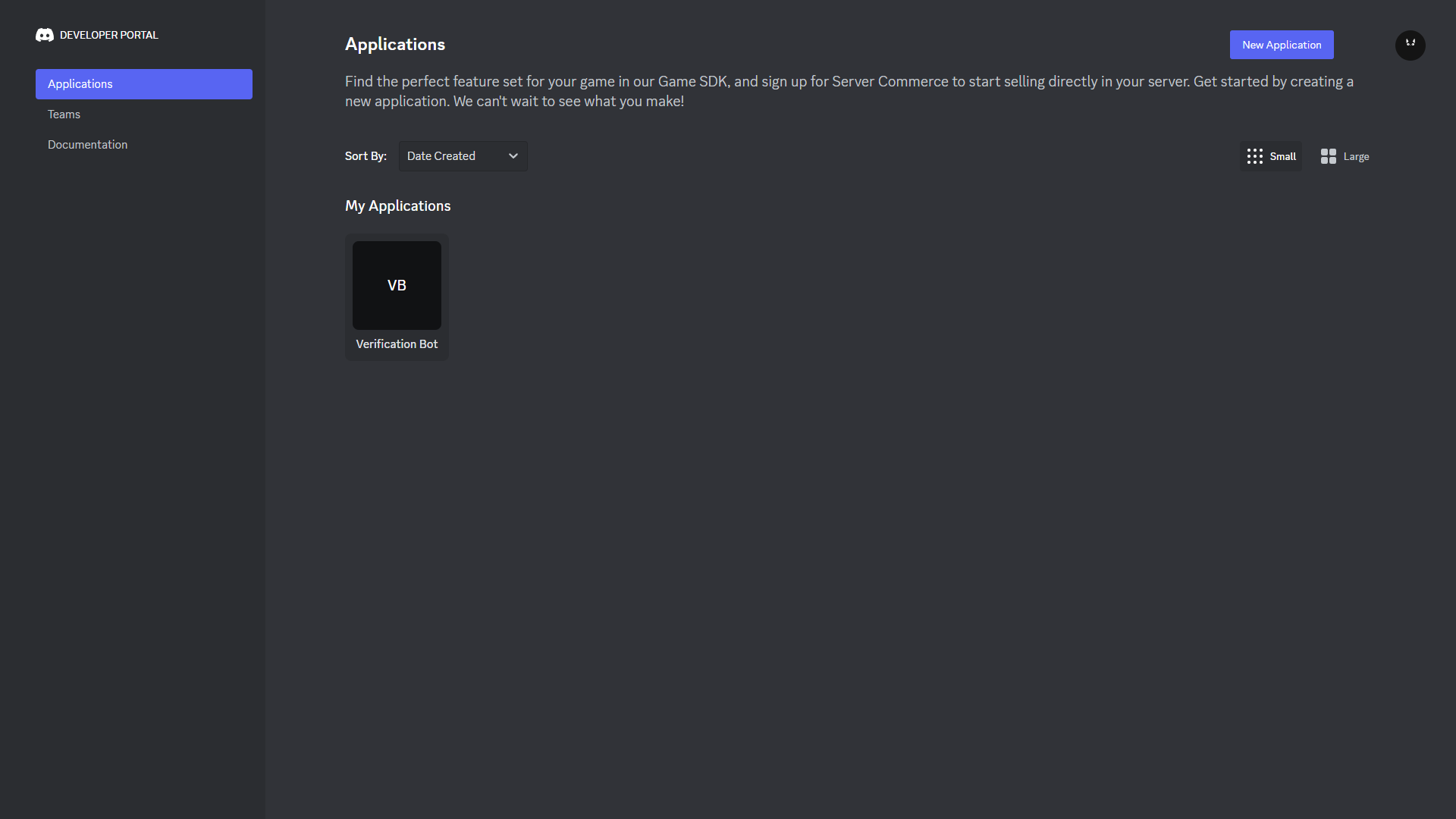 > Scroll down until you see "Public Key" and click on "Copy" to copy the key.
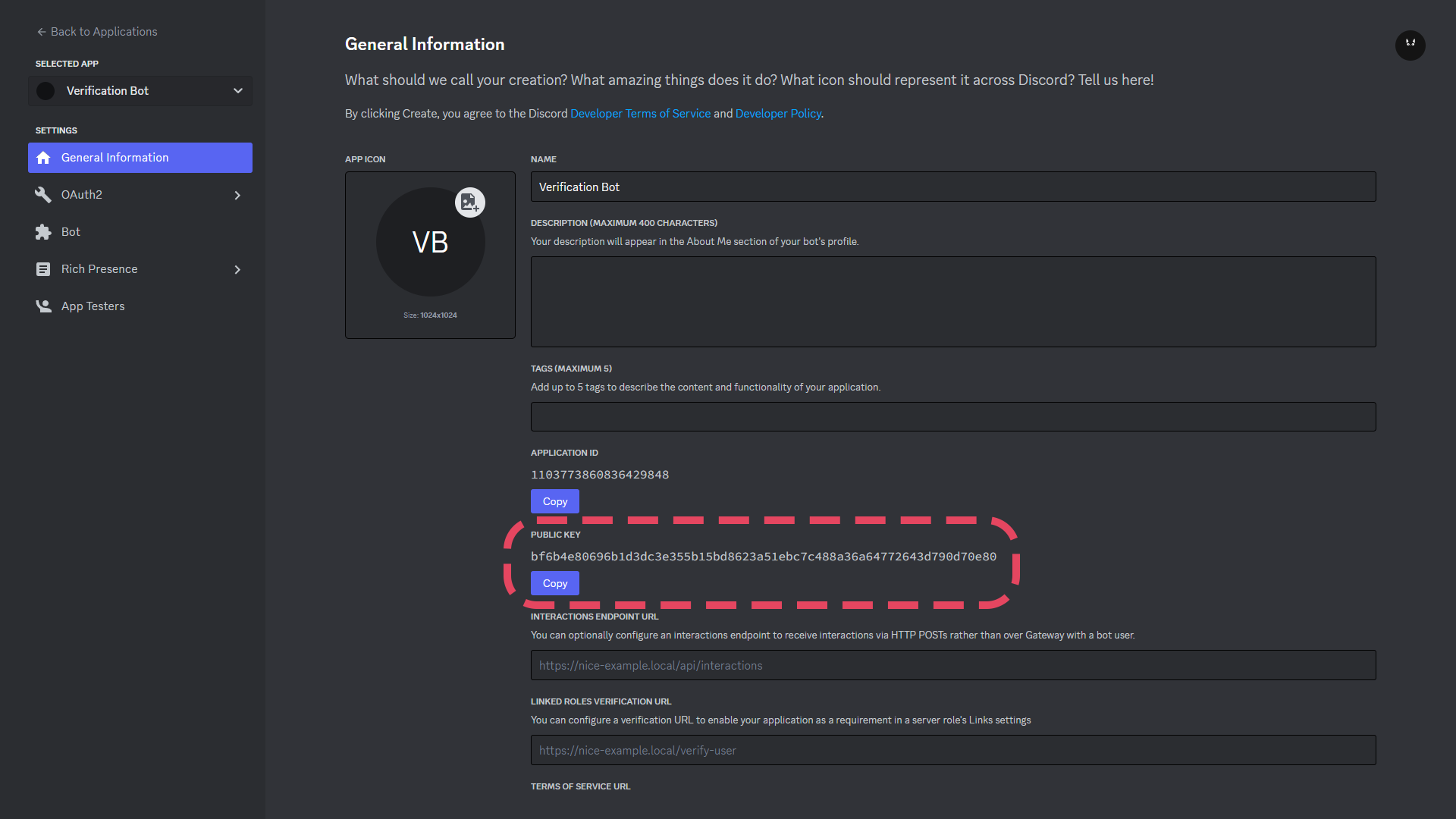 > Go to your [RestoreCord Dashboard](https://restr.co/bots) and Edit your bot, then paste the key into the "Public Key" field.
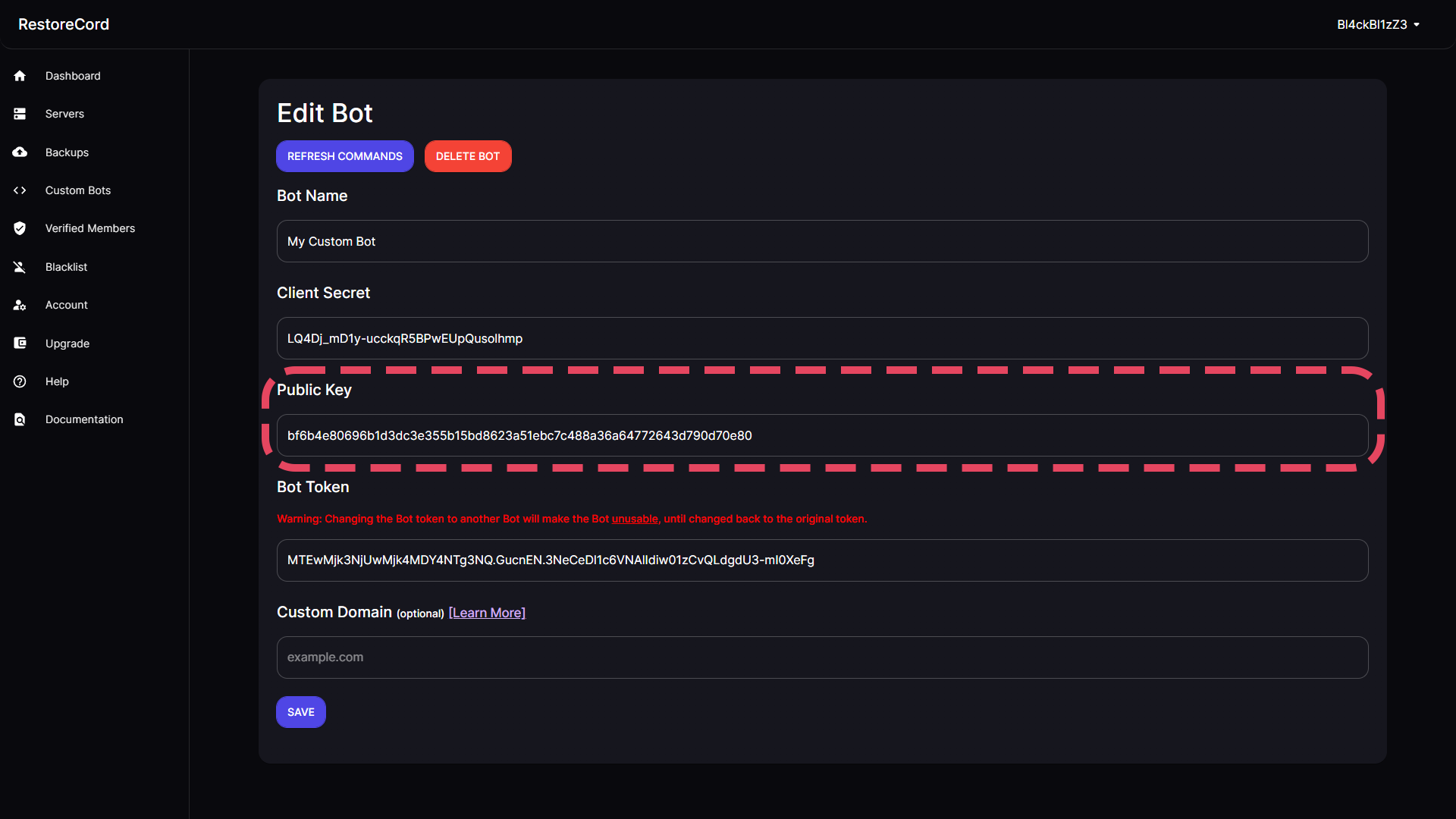 > Go back to the [Discord Developer Portal](https://discord.com/developers/applications) and enter the following URL into the "Interactions Endpoint URL" field.
```
https://restorecord.com/api/interaction
```
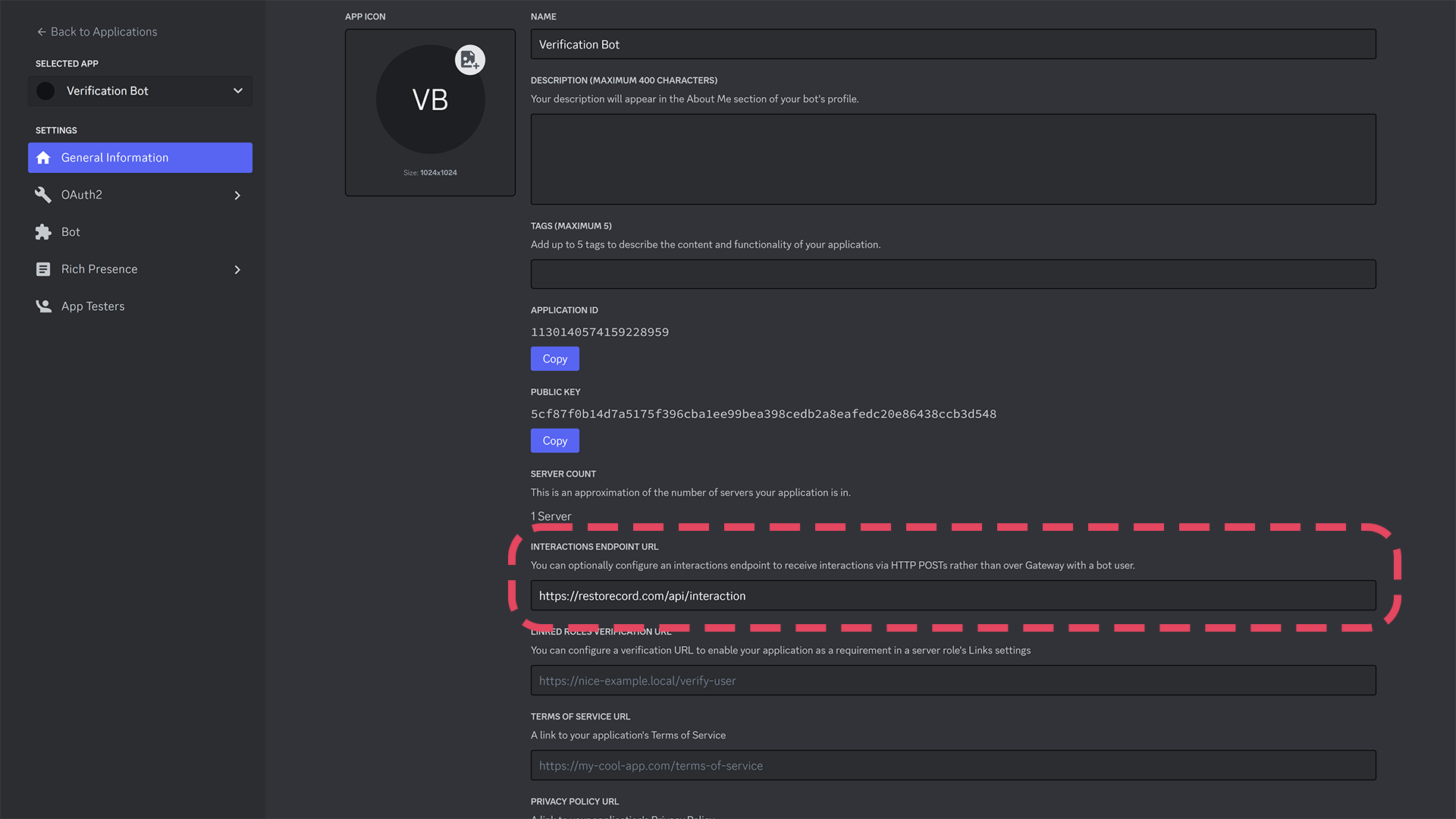
> Go back to the [Discord Developer Portal](https://discord.com/developers/applications) and enter the following URL into the "Interactions Endpoint URL" field.
```
https://restorecord.com/api/interaction
```
 > Then, go back to the dashboard, edit your custom bot and click the **REFRESH COMMANDS** Button.
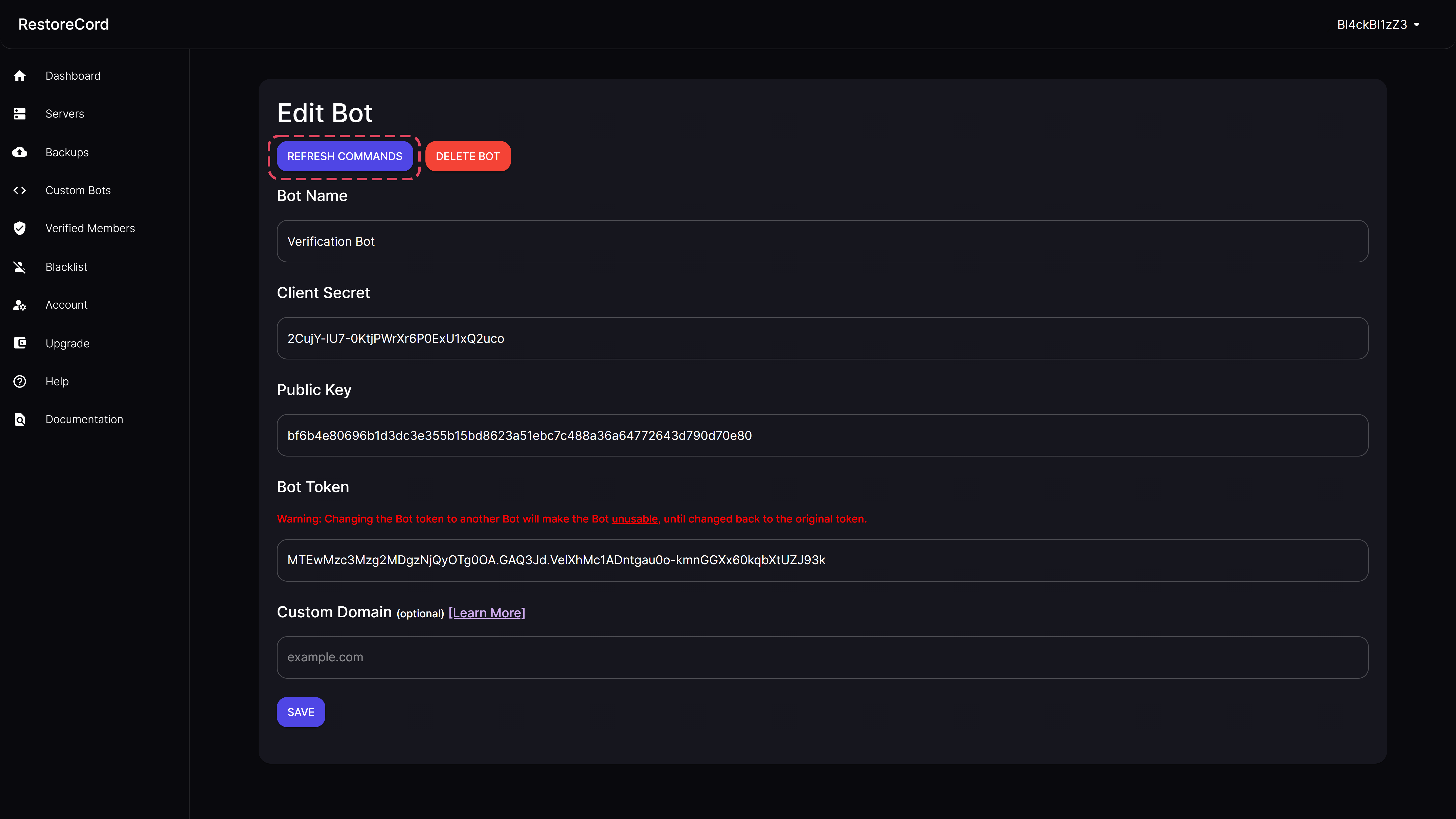 You have enabled commands for your bot!
If you have any questions, feel free to join our [Discord Server](https://restr.co/discord) and ask us anything!
You have enabled commands for your bot!
If you have any questions, feel free to join our [Discord Server](https://restr.co/discord) and ask us anything!