> ## Documentation Index
> Fetch the complete documentation index at: https://restorecord.mintlify.site/llms.txt
> Use this file to discover all available pages before exploring further.
# Custom Redirect URL
> Setup Custom redirect for a more professional look.
# What is a Custom Domain?
A Custom Domain is a domain name that you can use as a redirect\_url for your custom bot. This allows you to use your own domain name instead of the RestoreCord domain name.
# Why is it important?
Discord is still able to link all RestoreCord bots together, even if you use a custom bot. This is because RestoreCord previously used the same domain name for all bots. This means that if you use a custom domain, you will be able to hide the fact that you are using RestoreCord.
Cloudflare is required to use custom domain. If you use something else, we
highly suggest switching over to Cloudflare.
Create an account if required.
> First, head over to Cloudflare Dashboard and add a new site
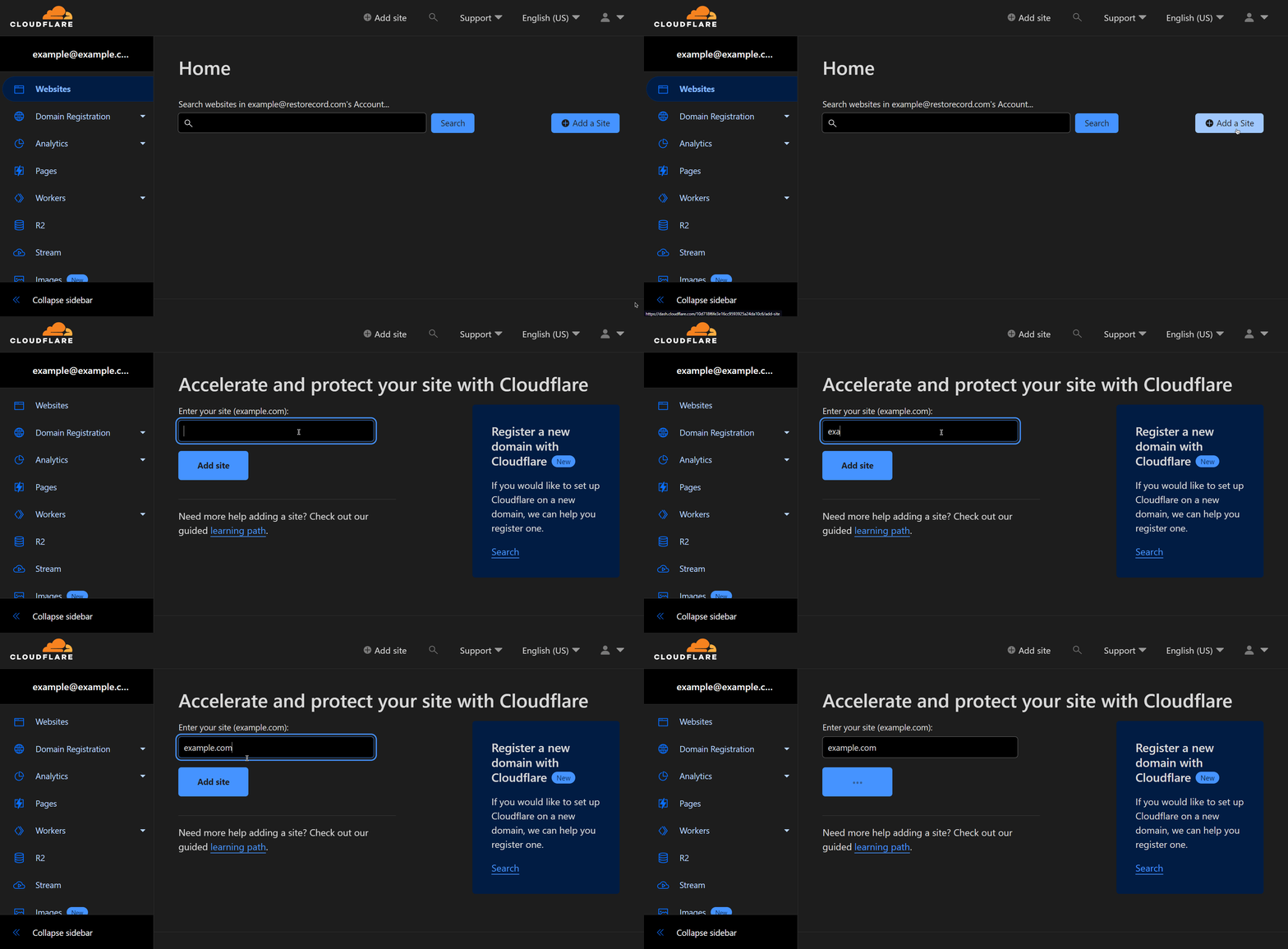 You can use a subdomain instead if your main domain is already in use, such as `verify.domain.com`
> Once you have **added** your domain name to Cloudflare, click on the **Page Rules** button in the **Sidebar**.
You can use a subdomain instead if your main domain is already in use, such as `verify.domain.com`
> Once you have **added** your domain name to Cloudflare, click on the **Page Rules** button in the **Sidebar**.
 > We will be creating **2 different page rules**. *(There are 2 tabs below!)*
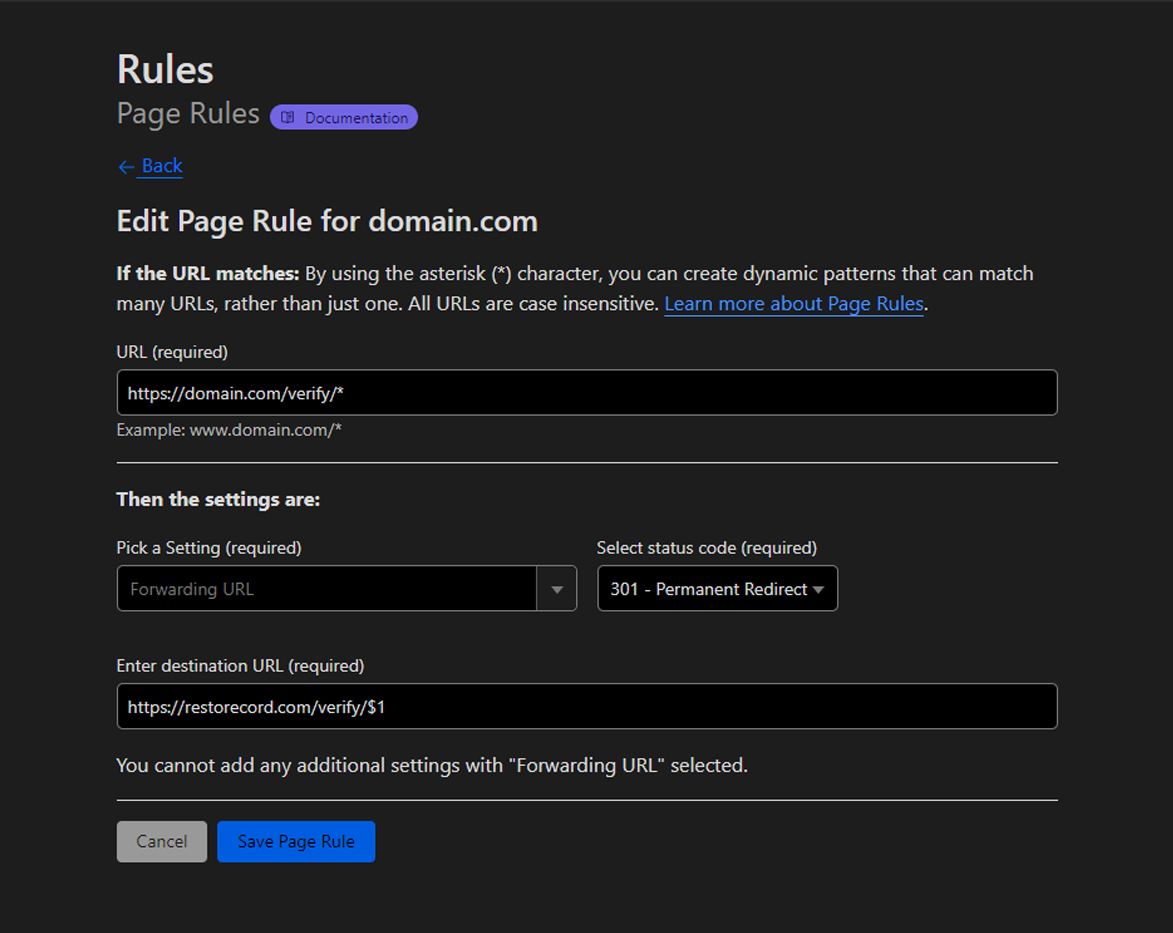 ```text URL:
https://domain.com/verify/*
```
```text Enter destination URL:
https://restorecord.com/verify/$1
```
```text URL:
https://domain.com/verify/*
```
```text Enter destination URL:
https://restorecord.com/verify/$1
```
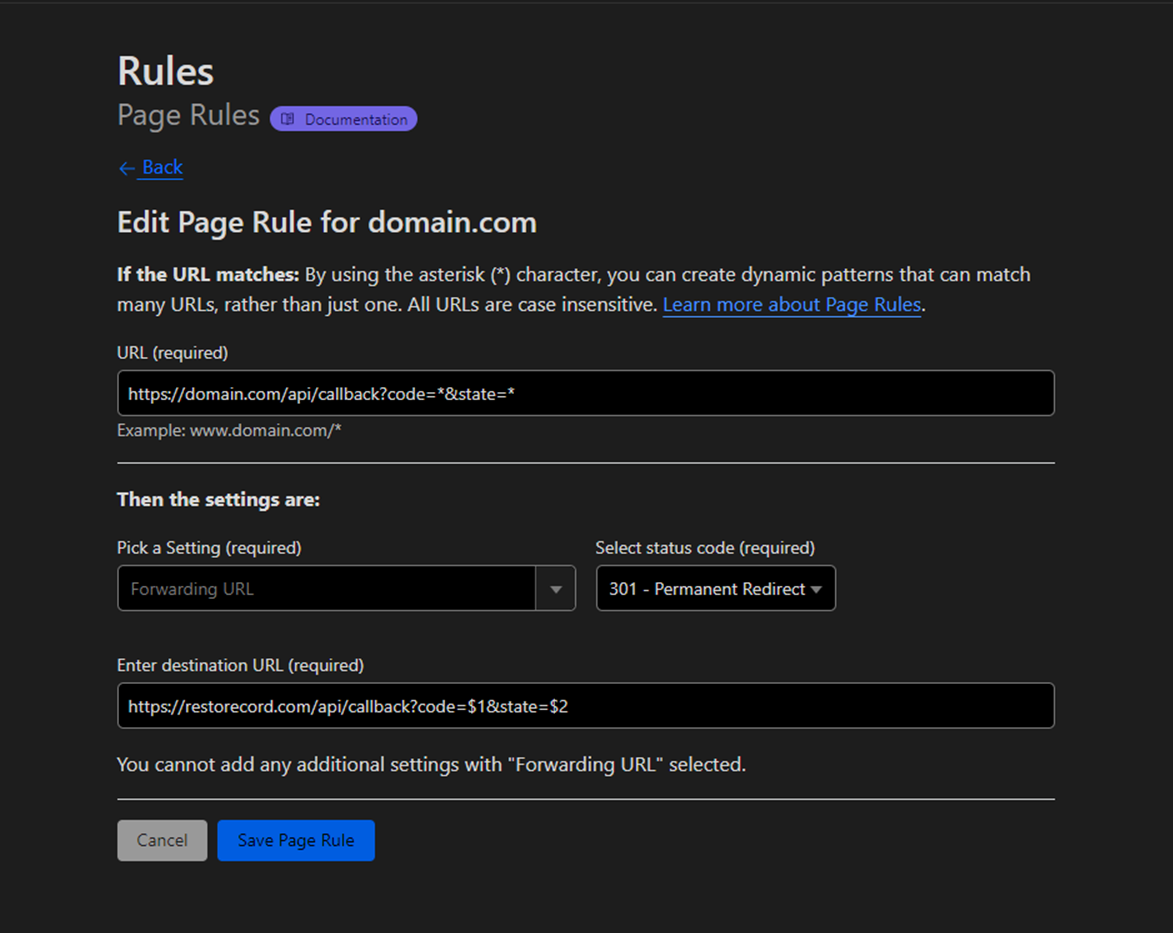 ```text URL:
https://domain.com/api/callback?code=*&state=*
```
```text Enter destination URL:
https://restorecord.com/api/callback?code=$1&state=$2
```
Click **Save Page Rule**
> Go to [RestoreCord Dashboard](https://restorecord.com/dashboard/custombots), edit your custom bot and enter your custom domain settings without `https://`.
```text URL:
https://domain.com/api/callback?code=*&state=*
```
```text Enter destination URL:
https://restorecord.com/api/callback?code=$1&state=$2
```
Click **Save Page Rule**
> Go to [RestoreCord Dashboard](https://restorecord.com/dashboard/custombots), edit your custom bot and enter your custom domain settings without `https://`.
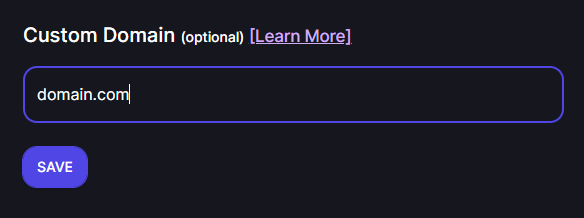 > Then head over to [Discord Developer Page](https://discord.com/developers/applications/), `Your Custom Bot` > `oAuth2` > `General` and change `restorecord.com` to `domain.com`
 You have succesfully added your custom domain to RestoreCord.
## Troubleshooting
> As mentioned above, if you **don't want** to use your main domain because you're **already using it** for a different service or website, then you may **replace** `domain.com` with something like `verify.domain.com`.
Make sure to replace `domain.com` with `verify.domain.com` everywhere aswell
You have succesfully added your custom domain to RestoreCord.
## Troubleshooting
> As mentioned above, if you **don't want** to use your main domain because you're **already using it** for a different service or website, then you may **replace** `domain.com` with something like `verify.domain.com`.
Make sure to replace `domain.com` with `verify.domain.com` everywhere aswell
 > This usually happens if the domain you're currently using **does not have any DNS records on Cloudflare**.
> To solve this issue, **create a new `CNAME` record:**
> This usually happens if the domain you're currently using **does not have any DNS records on Cloudflare**.
> To solve this issue, **create a new `CNAME` record:**
 If you have any questions, feel free to join our [Discord Server](https://restr.co/discord) and ask us anything!